Boardroom publishes articles on WordPress and sends a curated newsletter via Campaign Monitor. Before this automation, the team manually copied titles, images, excerpts, and links into Campaign Monitor for every send — easy to miss content, duplicate stories, or ship inconsistent formatting.
Capturing new WordPress posts
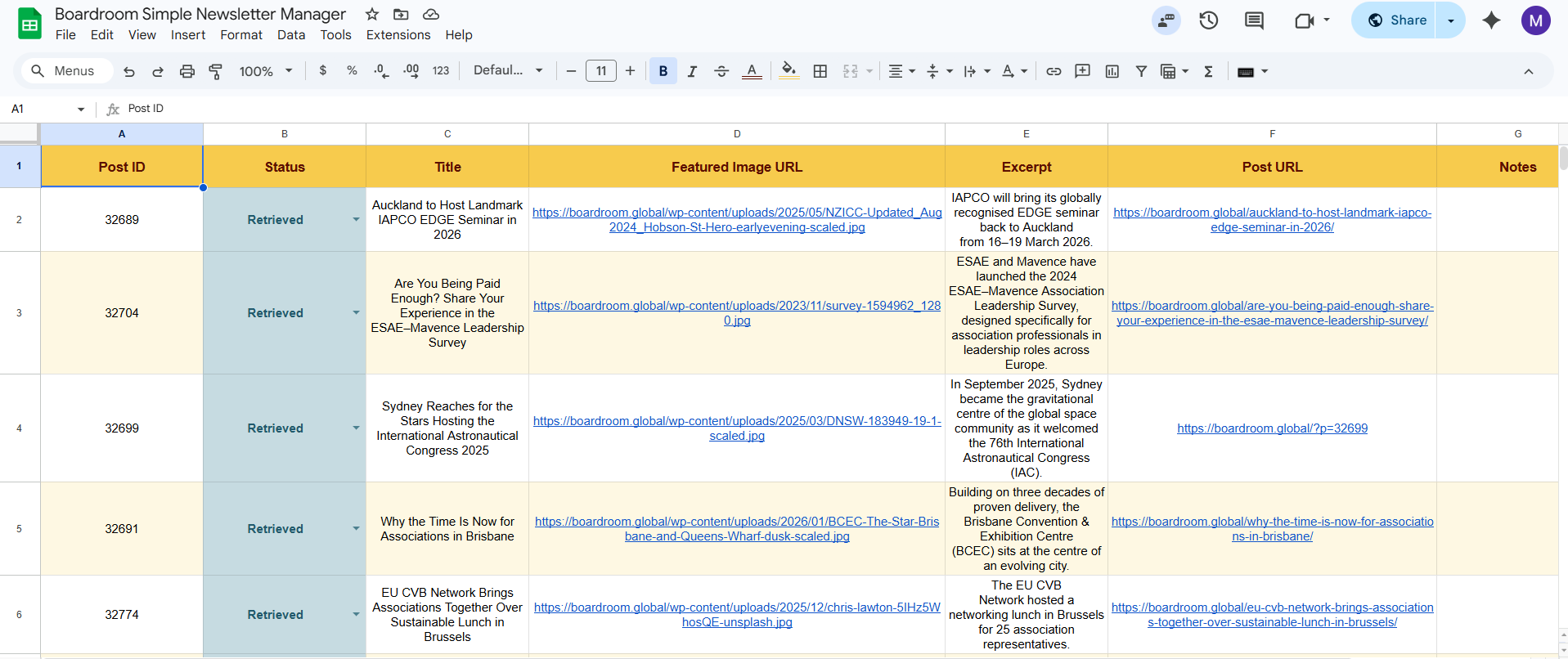
When a new post is published, the automation immediately collects the title, featured image, excerpt, link, and category, then logs it in the “Posts Data” Google Sheet with a status of “Retrieved” — captured and ready to use.
Building and sending the newsletter
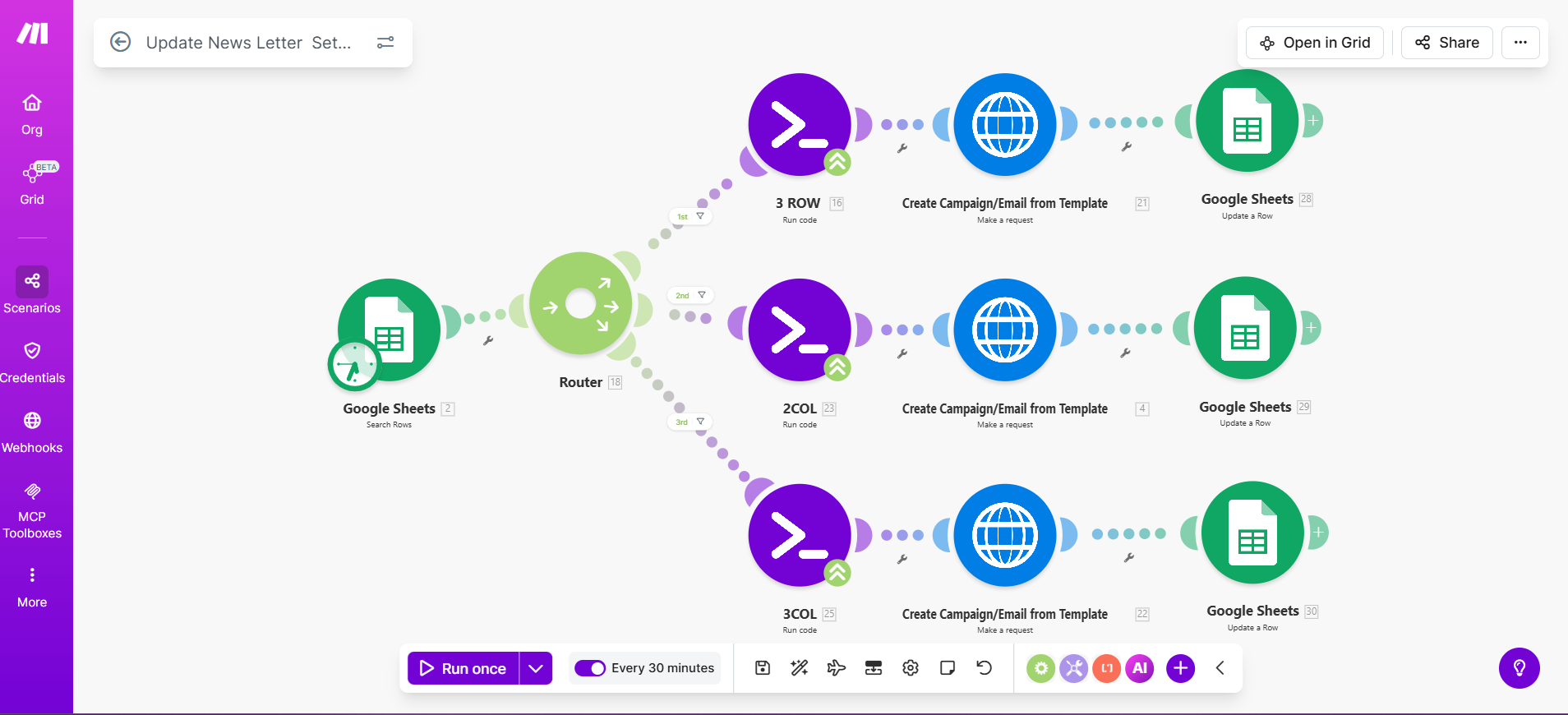
A second workflow watches the sheet for rows marked “Create.” It pulls the article details, formats them to match the Campaign Monitor template through a code module, and calls the Campaign Monitor API to create the campaign with all content already in place. Rows are updated to “Done” so the team can track what has been sent. A router handles three layout variations, so newsletters adapt to however many articles are marked ready.
The result
New posts are captured automatically; the team just marks which articles go out. Newsletters are prepared in a fraction of the time, with no risk of missed articles or formatting drift. The team stays in control of what goes out and when — the repetitive work is gone.