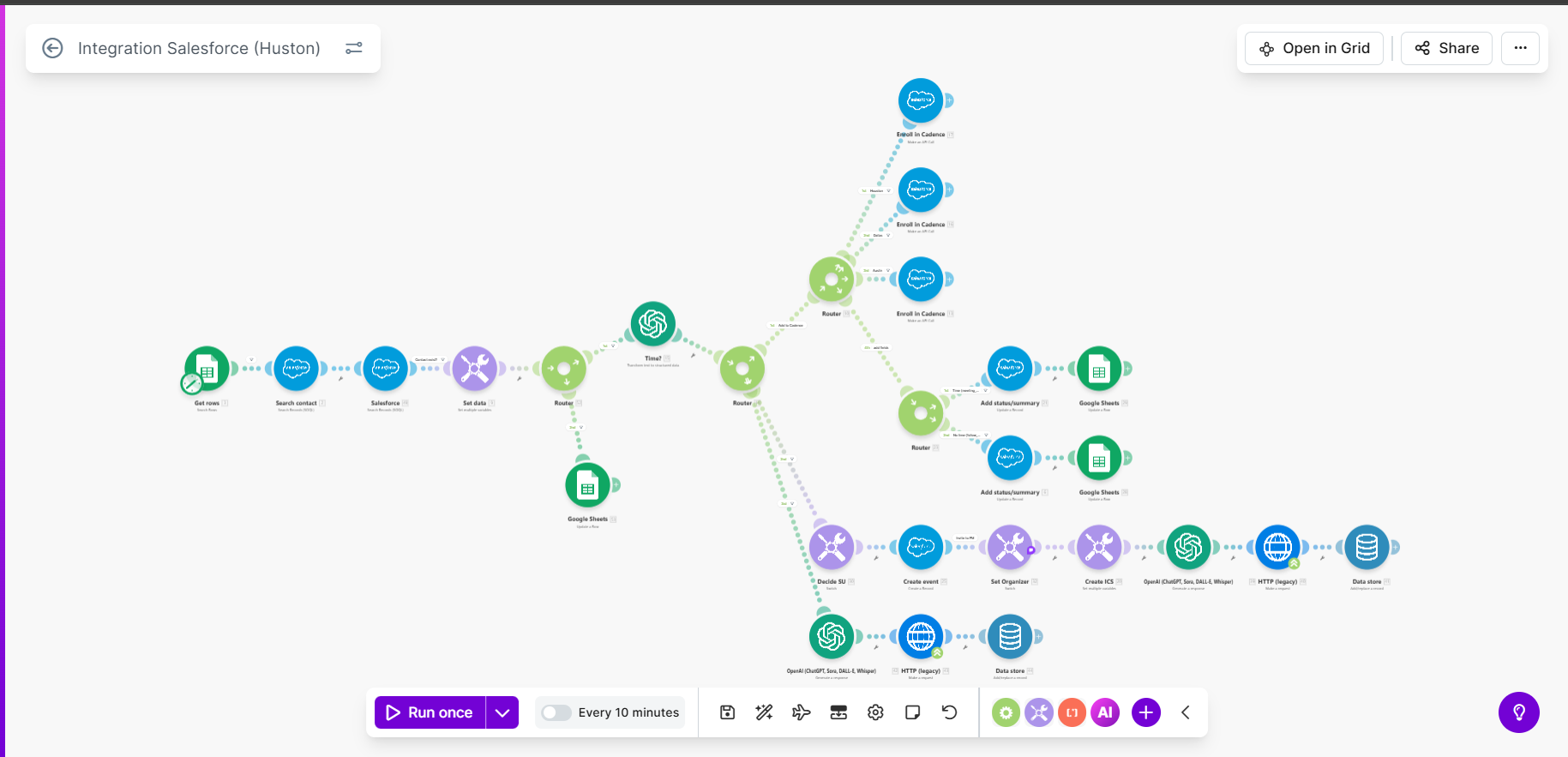
Manually initiating cold calls, logging results into Google Sheets, and updating the CRM was slow, inconsistent, and prone to data loss. Booking appointments required manual entry into Salesforce and sending calendar invites, which often resulted in double-bookings or missed appointments. The team needed a fully automated system to find uncontacted leads, initiate calls via AI, update call outcomes, and seamlessly book meetings.
What the automation does
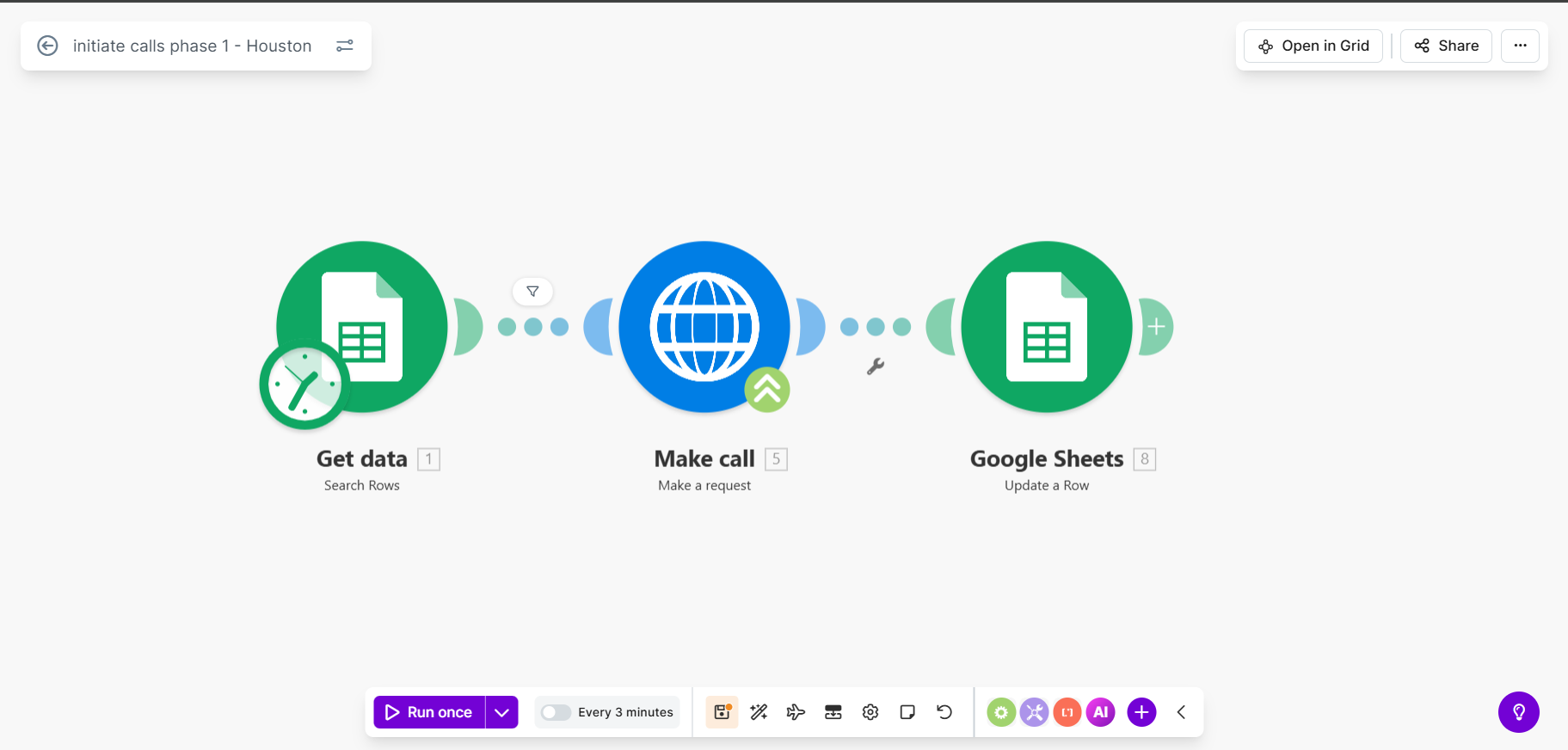
- →Initiates calls: scans a Google Sheet for leads marked “Not_called” and sends their contact details to the VAPI calling system.
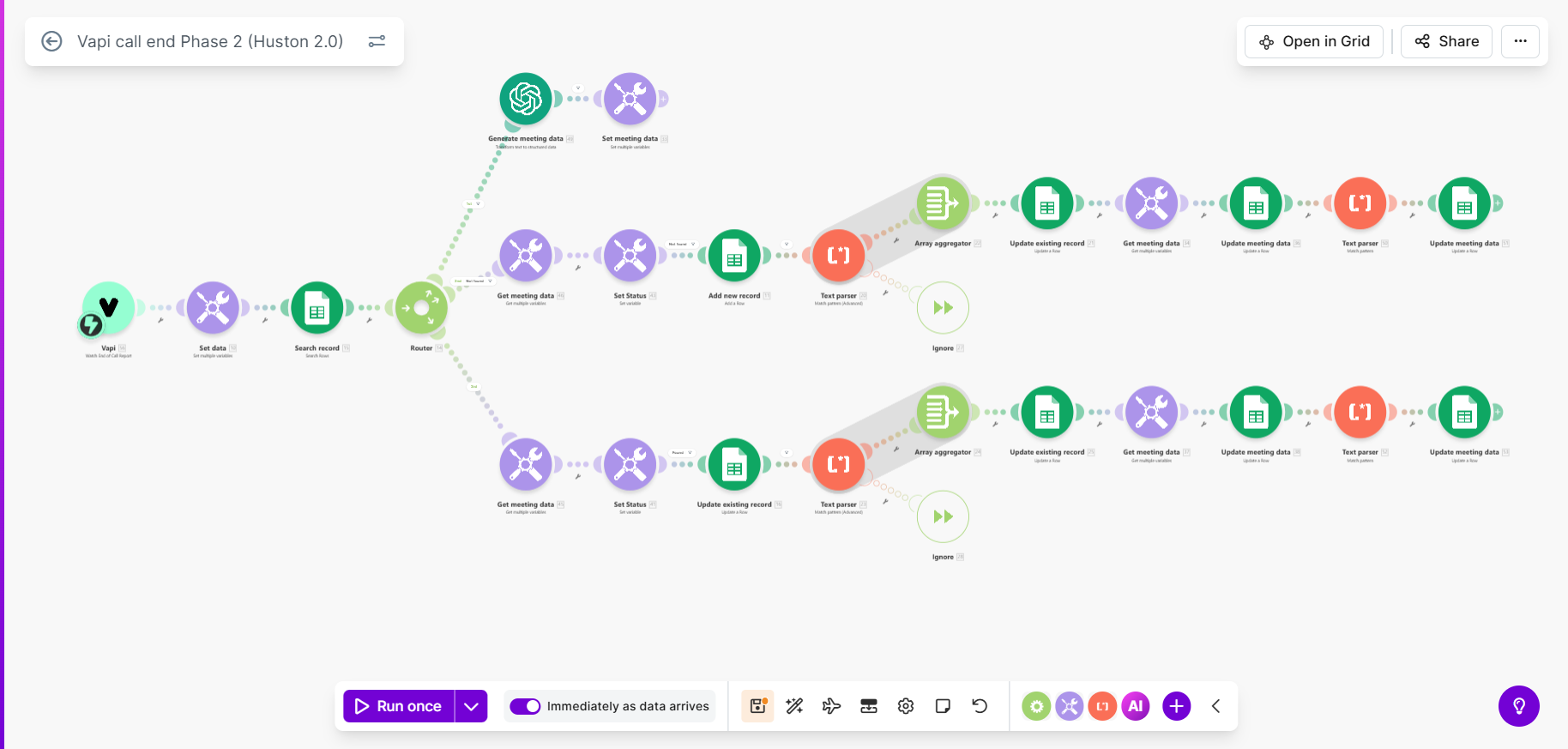
- →Manages call ends: when a call finishes, AI analyzes the VAPI conversation report to determine a precise status (Booked, Not Interested, Left Voicemail).
- →Updates records: finds the called party in the sheet and logs the AI summary, recording URL, and call outcome.
- →Books meetings: if the AI detects a booked meeting, it creates an Event in the Salesforce calendar and emails a formal calendar invite to the prospect.
How it works
- →Lead search — Sheets scanned for “Not_called” leads.
- →Call initiation — leads sent to VAPI for calling.
- →Call summary — AI analyzes the call and updates Sheets with results.
- →Booking — on success, an event is created in Salesforce and an invite is emailed to the prospect.
The result
From initial call to CRM update and meeting booking, no manual intervention is required. A small team can handle hundreds of calls daily while qualified leads are booked straight into the sales calendar, and every interaction — recording links, summaries, booked meetings — is logged in both Google Sheets and Salesforce.
The Make.com scenario
Three connected phases handle lead search, call outcome analysis, and Salesforce booking.